 X Trench Run
















Build your Rocket
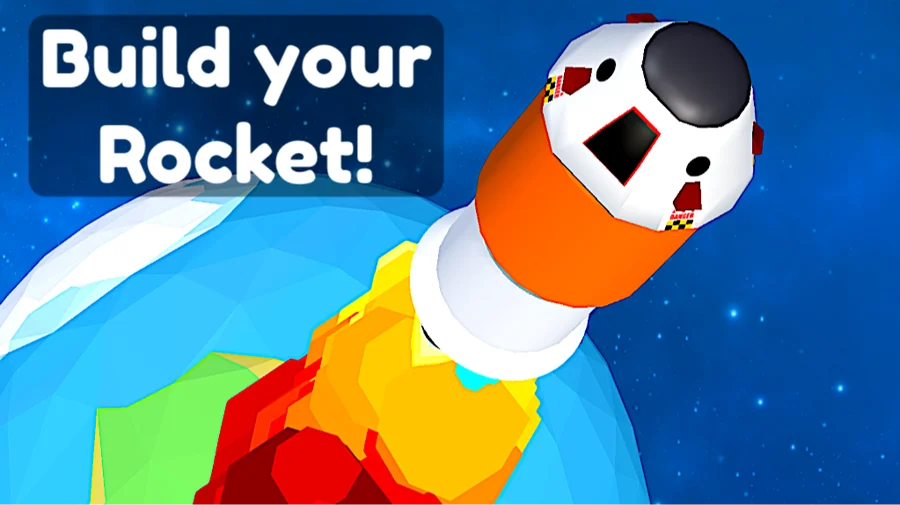
Build your Rocket is a casual arcade game where you piece together a rocket and try to fly it as high as you can. The whole thing runs on one input: you hold to burn fuel and accelerate, then let go.
It is free to play in your browser, no download needed. Each run is about climbing past planets, unlocking the next level, and pushing your altitude a little higher than last time.
What is Build your Rocket?
It is a one-button height game with a building layer on top. Before you launch you set up the rocket by balancing three things: power, fuel, and speed. Power gets you off the ground, fuel keeps you climbing, and speed carries you to higher altitudes. Once you launch, your score grows the higher you reach, and clearing enough height unlocks new levels and new planets to fly past.
How to play
You only need one input to fly, so most of the skill is in how you manage the burn.
Desktop controls
- Hold space or the left mouse button to accelerate
- Release to stop accelerating
- Left mouse button to interact with menus and the build screen
Mobile controls
Touch and hold the screen to accelerate, lift your finger to coast. The build and menu screens use taps.
Balancing the build
Each rocket is a trade-off between power, fuel, and speed. Too little power and you never leave the ground. Too little fuel and you stall out early no matter how fast you were going. The setup that gets you highest is rarely the one that maxes a single stat, so it is worth tweaking the mix between runs.
Height, score, and planets
Your score tracks how high the rocket climbs, so altitude is the only number that matters. As you reach new heights you unlock levels and pass different planets along the way. The loop is short: build, launch, see how far the fuel takes you, then come back and adjust. Beating your previous best is the main draw, and there is a leaderboard angle to climbing past other players.
Tips for a higher climb
- Don't hold the burn the entire time. Coasting at the right moment saves fuel for when you actually need the push.
- Spend extra on fuel when you keep stalling out partway up. Raw power gets wasted if the tank runs dry.
- Watch where your last run ended and treat that as the bar to clear, not the finish line.
- Change one stat at a time between runs so you can tell what actually helped.
What makes it work
The hook is that a single button hides a small planning puzzle. The flying is easy, but getting the build right takes a few failed launches, and that gap between an easy action and a result you have to earn is what keeps you starting one more run.
Play Build your Rocket on mobile
Build your Rocket has a mobile app as well as the browser version. Keep playing here with no install, or get the app from Google Play and the App Store for a home-screen icon and touch controls built for phones and tablets.
Similar games
If you like Build your Rocket, try these other free games on X Trench Run.